
Premium Office & Printer Paper
Navigator Paper
From everyday 80gsm office printing to presentations, colour documents and 160gsm card, Navigator offers papers for very different print requirements.
The range includes A4 and A3 papers for photocopiers, laser printers and inkjet printers, with different weights suited to routine documents, reports, presentations and higher-impact colour printing.
Choosing the right Navigator paper is therefore less about finding the “best” sheet and more about matching the paper weight and specification to what you actually need to print.


Navigator Paper Buying Guide
Which Navigator paper should you choose?
Not every document needs the same paper. An internal memo, customer proposal, colour brochure and certificate place very different demands on the sheet passing through your printer.
Navigator makes that choice relatively straightforward by offering a progression of paper weights. As you move through the range, the paper generally becomes more substantial and increasingly suited to documents where presentation, colour reproduction, opacity or stiffness matter.
Choose by Paper Weight
From 75gsm everyday paper to 160gsm office card
Explore the Navigator Range
Six papers for six different print requirements
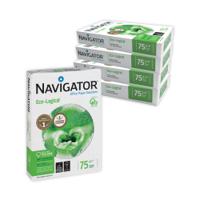
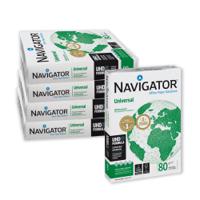
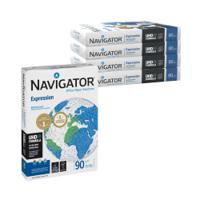
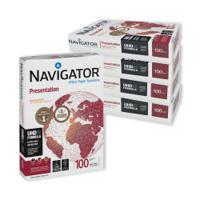
Start with what you are printing. These Navigator products show how the range progresses from lightweight everyday paper through to premium presentation sheets, colour paper and office card.
Quick Decision Guide
If your printing requirement sounds like this...
Before Moving to Heavier Paper
Check what your printer can actually handle
A printer that runs 80gsm office paper comfortably will not necessarily accept every heavier paper in the Navigator range.
Before ordering 120gsm or 160gsm media, check your printer’s supported paper weight, the recommended feed tray and any media settings required for heavier stock.
Shop Navigator
Find Navigator paper by size or weight
Paper & Sustainability
Look at sourcing, paper weight and how much paper you actually need
Navigator products include papers supported by recognised forest and environmental certification information. Where a particular FSC®, PEFC or environmental specification is important to your organisation, check the individual product information before ordering.
Navigator Eco-Logical also approaches everyday printing through paper weight. At 75gsm, it uses less paper material per sheet than an equivalent 80gsm format while remaining intended for everyday office printing.
Certification and grammage are only part of the picture. Reducing unnecessary printing, using duplex printing where appropriate and selecting the lightest paper that genuinely meets the requirement can all help reduce overall paper consumption.
A Simple Procurement Principle
There is no reason to print every document on 120gsm paper
Heavier paper can improve the appearance and feel of an important presentation, brochure or customer document, but it also uses more material per sheet.
Everyday internal documents may be perfectly well served by 75gsm or 80gsm paper. Reserve heavier Navigator grades for applications where the additional opacity, stiffness or presentation quality provides a genuine benefit.
Buying Paper Regularly?
Standardise the papers your organisation actually needs
Businesses buying significant quantities of paper do not necessarily need every available grammage. A smaller preferred range can simplify ordering and help employees choose a suitable paper for each type of document.
A Green Office corporate account can support preferred products, purchasing visibility, budgets, approval controls and dedicated account support for organisations with regular workplace supply requirements.
Navigator Paper FAQs
Common questions about Navigator printer paper
Which Navigator paper is best for everyday office printing?
Navigator Universal 80gsm is the straightforward multipurpose option for everyday documents, photocopying and routine laser or inkjet printing.
What is the difference between Navigator 80gsm, 90gsm and 100gsm?
80gsm is suitable for routine office printing. Expression 90gsm provides a slightly heavier sheet for reports and graphics, while Presentation 100gsm provides greater substance for documents where presentation is more important.
What is Navigator 120gsm paper best for?
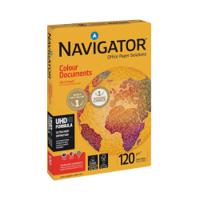
Navigator Colour Documents 120gsm is intended for applications where colour reproduction and a more substantial sheet are useful, including brochures, flyers, graphics and presentation material.
Can Navigator paper be used in inkjet and laser printers?
The main Navigator office papers are intended for common office printing applications including laser, inkjet and copier use. Always check the individual product and your printer specification, particularly when moving to heavier media.
Can a normal office printer use Navigator 160gsm card?
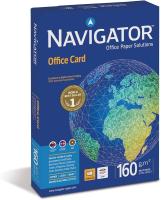
Some office printers can handle 160gsm media, but maximum paper weight and the correct feed tray vary by machine. Check your printer specification before ordering heavyweight paper or card.
Does Navigator make A3 paper?
Yes. Selected Navigator papers are available in A3 as well as A4. You can browse our Navigator A3 paper here .
Continue Shopping
Compare Navigator with our wider paper range
Find Your Navigator Paper
Choose the paper weight that matches what you actually need to print
Browse our complete Navigator range or contact us if you need help choosing between everyday paper, presentation paper, colour paper or heavier office card.
